Skip to content

AI-assisted accessibility audits
you can stand behind.

Give Dreven one address. It finds your site’s pages, audits up to 25 together against WCAG 2.2 and gathers the evidence. You review what it found, make each call, then sign off and issue your report.

This free check covers one page. Sign up from 9 November and Dreven finds and audits your site’s other pages too.

More about the free checker

Who it’s for

Made for whoever makes the call.

No accessibility expertise needed. Each person gets what they need from the same audit.

  • Product teams

    Procurement wants a VPAT, and no one on the team is an accessibility specialist. Dreven audits your site’s pages against WCAG 2.2, shows what failed and where in plain language, and drafts the VPAT from your decisions.

  • Designers

    Contrast, focus, target size: see each one on the captured page, element outlined, measurement beside it. One component, one decision, applied to every page it’s used on.

  • Auditors and audit firms

    Evidence you can show a client: captured page, outlined element, measurement, your recorded reasoning. Decide once per pattern, not per page, and sign the conformance report under your own name.

Why now

Accessibility is now part of the deal.

Three pressures land on product teams at once. Dreven gives you an answer to each.

Pressure 1 of 3

Your customers are asking.

Procurement teams want a VPAT or conformance report before they sign.

Dreven’s answerConformance report

Add your site

Add a URL for public pages, or use the extension or MCP & CLI for pages behind a sign-in.

URL Public pages

Paste one address. Dreven reads your sitemap or follows links, checks each page still loads, and audits up to 25 together. You choose the scope.

Patterns

One cause, many pages.

Most sites reuse the same parts, like buttons, headers and menus, on page after page. Dreven groups problems that come from one shared part into a single pattern, and lists every place it appears. One decision covers them all.

Looking across pages matters for WCAG too. Some rules, like consistent navigation, can only be judged by comparing pages. A one-page scan cannot do that.

The product

Your accessibility review,
all in one workspace.

See what needs attention, examine the evidence, and bring every decision through to a report you can stand behind.

Know where every audit stands.

See what’s been checked, what needs your decision, and what’s ready to sign off.

Capabilities
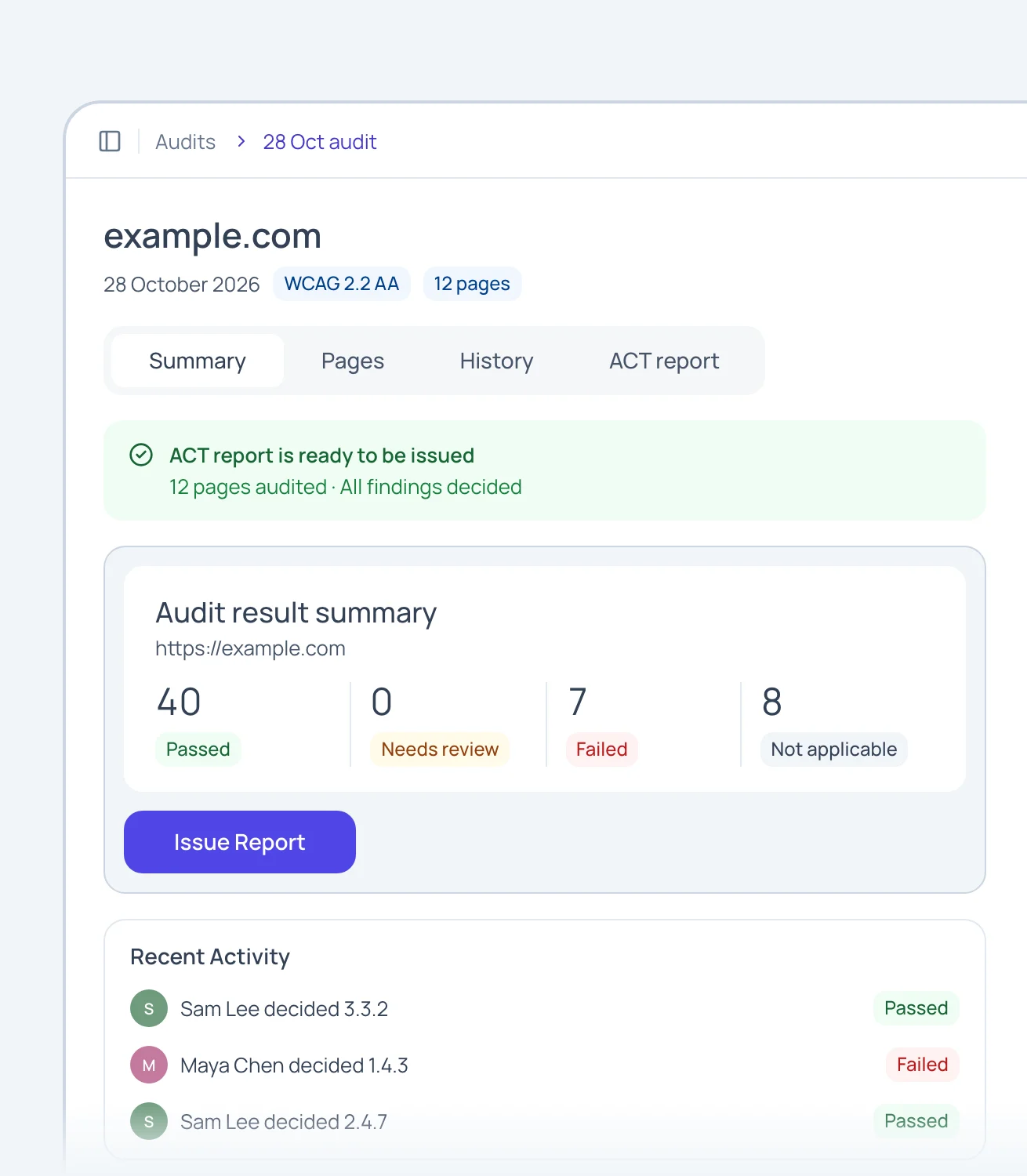

  • Page results
  • Review progress
  • Open decisions
  • Standards coverage

Decide once, apply everywhere.

Group related findings and apply one decision across every page it affects.

Capabilities
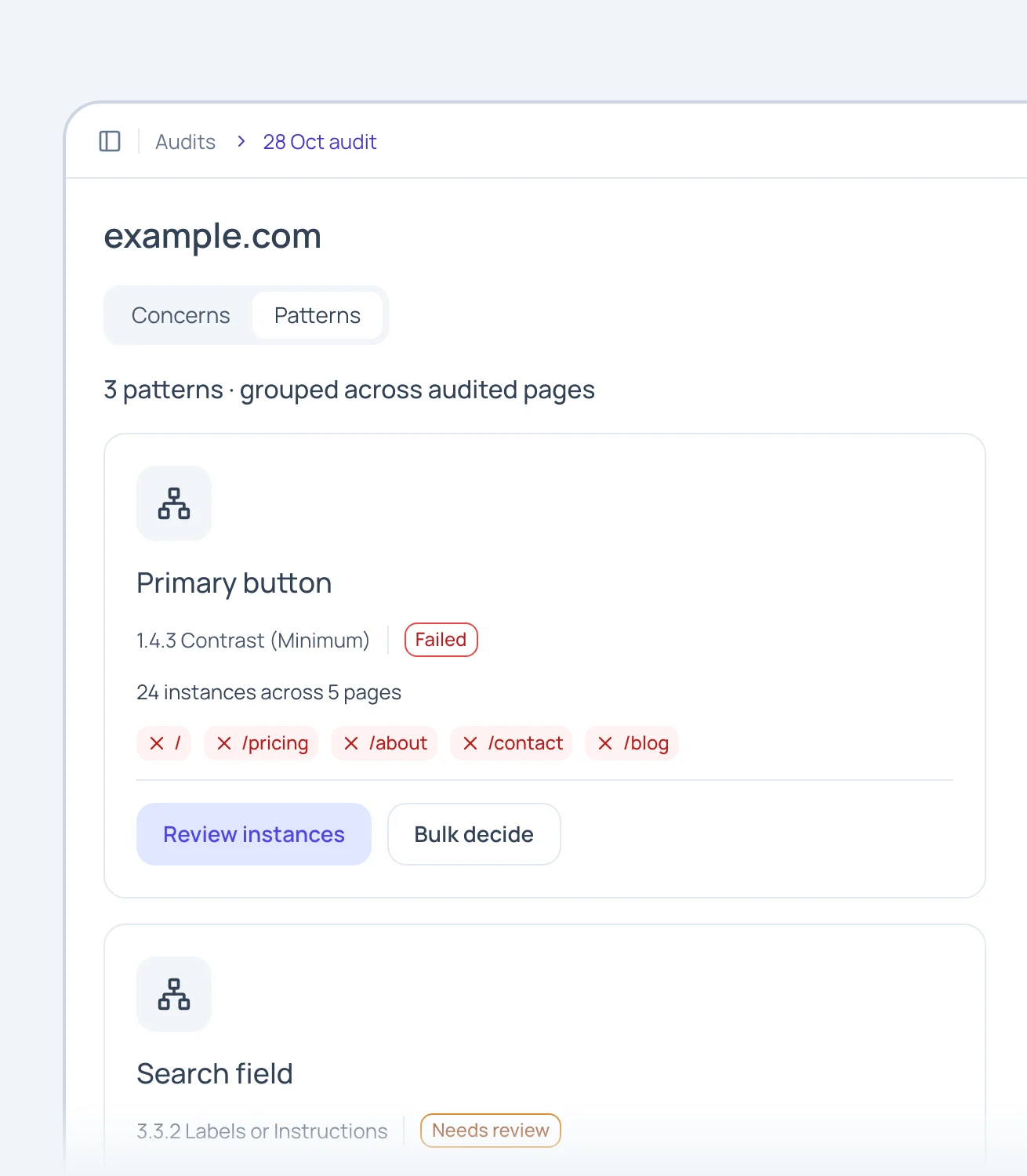

  • Criterion workspace
  • Findings across pages
  • Grouped evidence
  • Decisions applied across related findings

See exactly what Dreven saw.

Replay the captured page with the element highlighted and the measurement behind the result.

Capabilities
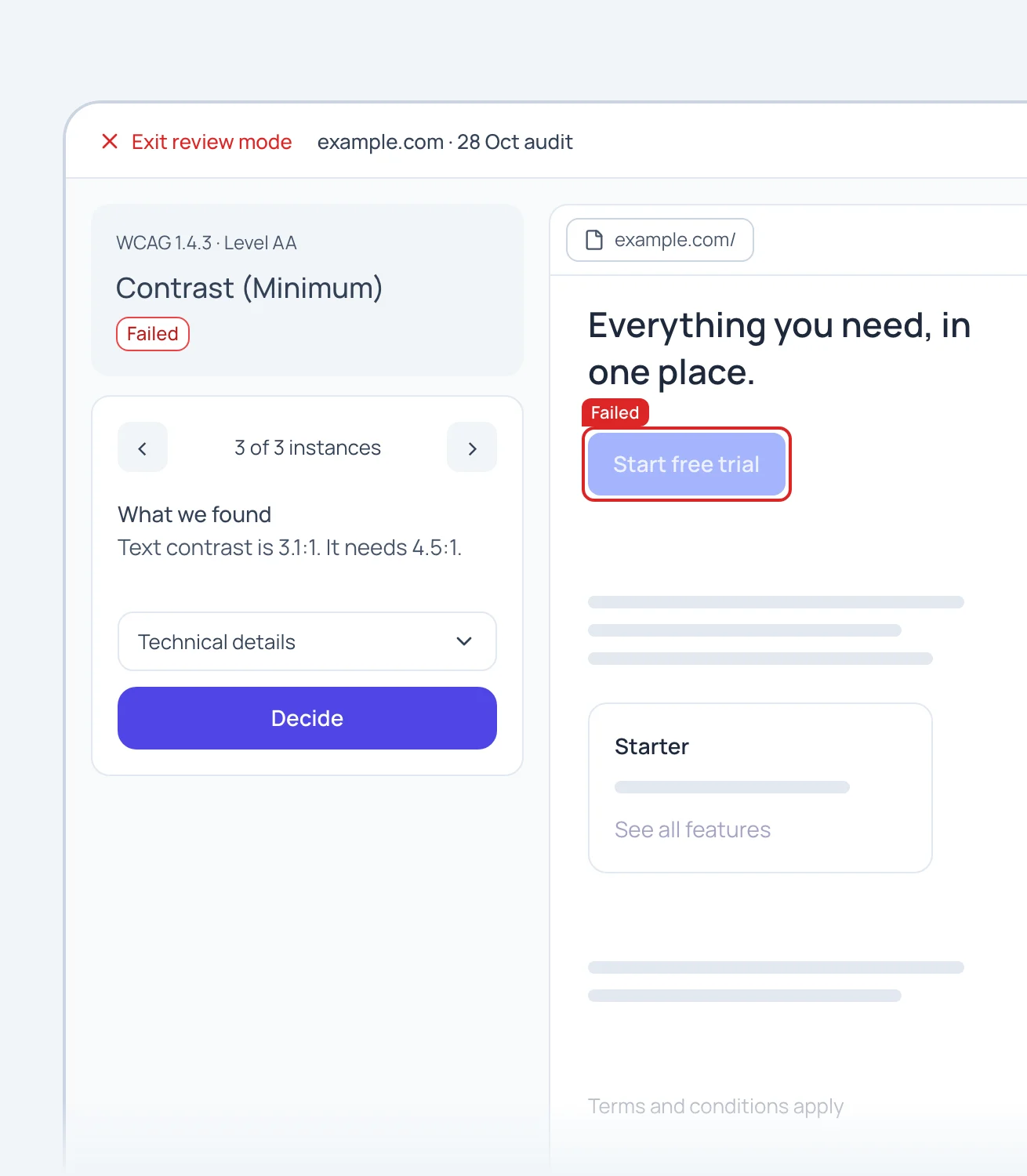

  • Captured-page replay
  • Element highlights
  • Check evidence
  • Page context

Make the call, and show why.

Confirm a result, change it, or mark it can’t tell, and record your reasoning with it.

Capabilities
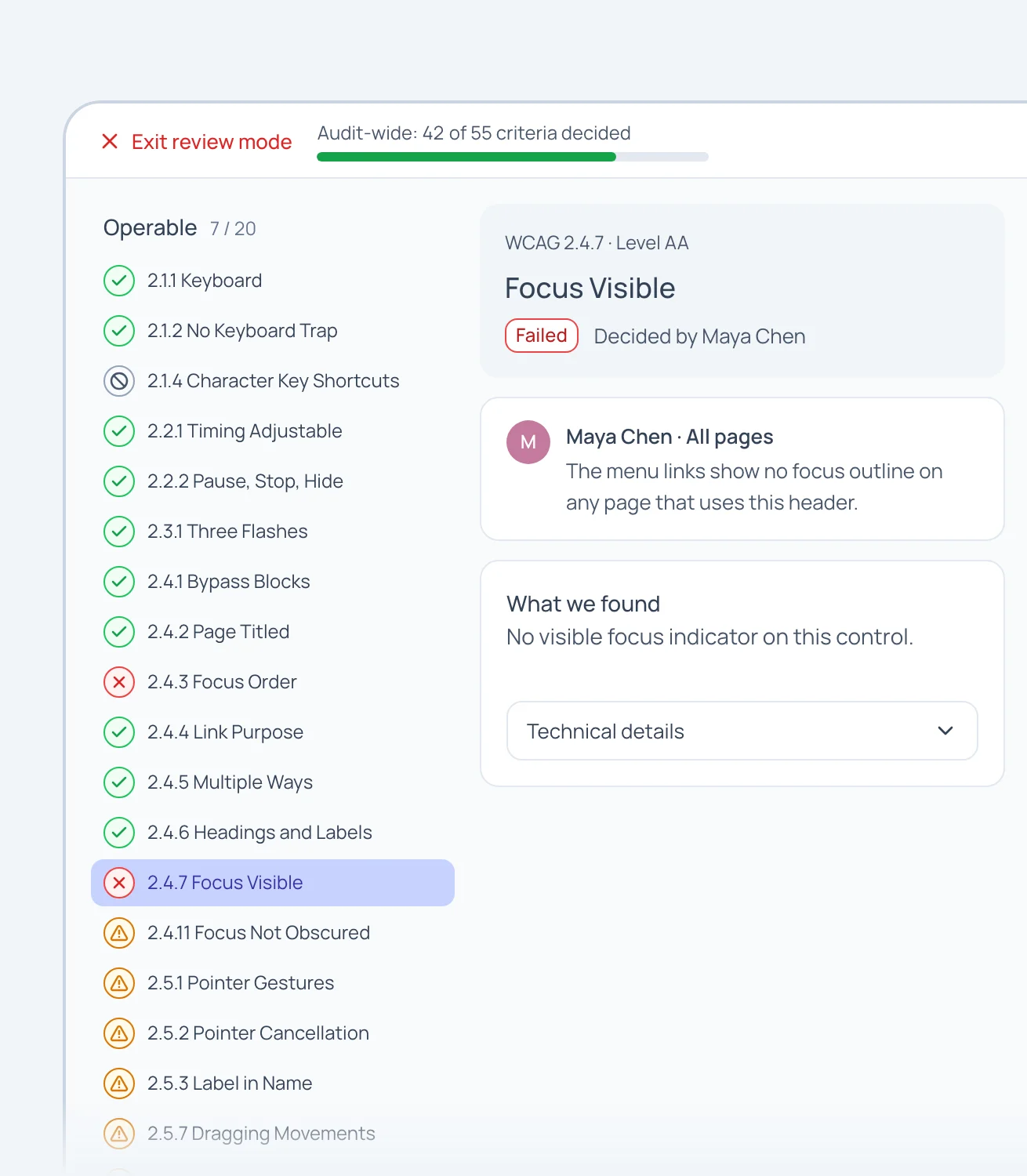

  • Four result states
  • Reviewer rationale
  • Recorded decisions
  • Explicit uncertainty

Send a report you can defend.

Your decisions and evidence go into a conformance report you sign off and issue.

Capabilities
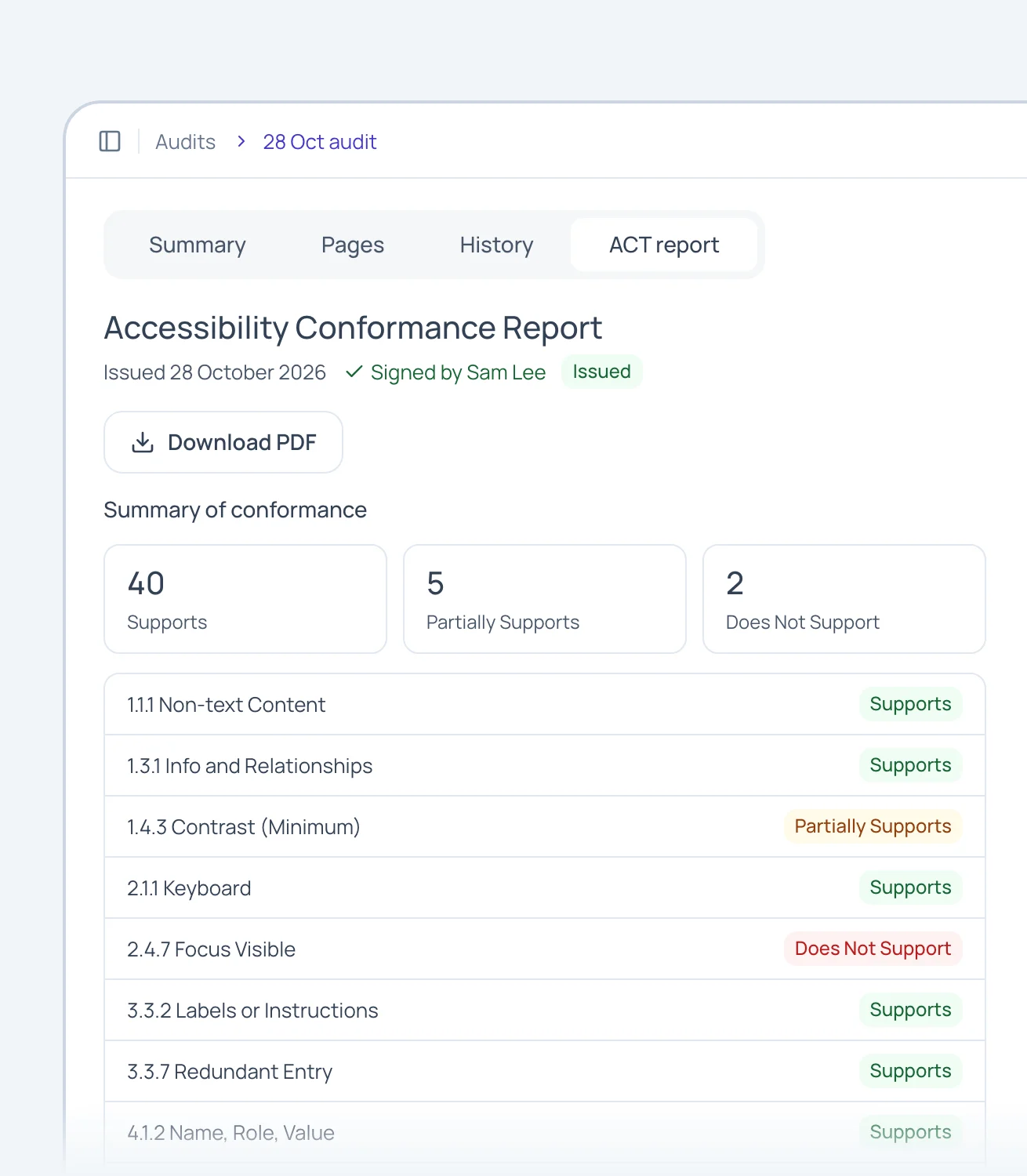

  • Draft conformance report
  • Evidence pack
  • Sign-off
  • Report export

What every audit covers

Every result shows its evidence.

Results come from checks Dreven runs on your pages. Where the AI weighs in, its reasoning sits beside the evidence.

55

WCAG 2.2 criteria

Every Level A and AA criterion gets a result.

4

Result states

Passed, failed, not applicable, can’t tell.

6

Standards

WCAG 2.2 and 2.1 at Level A or AA, EN 301 549 and Section 508.

Pricing

Pay for the pages you audit.

Every plan audits against WCAG 2.2 and 2.1 at Level A or AA, EN 301 549 and Section 508, shows the evidence behind each result, and lets you re-run a page you’ve already audited that month for free.

Free

One five-page audit a month on your own site.

$0free in early access

What’s included:

  • Every finding, with its evidence
  • WCAG 2.2, 2.1, EN 301 549 and Section 508
  • The review workspace and page replay
  • Re-run audited pages free that month

5 pages a month · 1 person

Solo

For freelancers and one-product teams.

$39/month

Everything in Free, plus:

  • One live conformance report at a time
  • The evidence pack behind every result
  • 1 project, re-audited on a schedule
  • Audit pages behind a sign-in through MCP

25 pages a month · 1 person

Popular

Team

For teams auditing their own product.

$199/month

Everything in Solo, plus:

  • Unlimited projects, one for each site
  • Issue as many reports as you need
  • Up to 5 people, with roles
  • Viewers join free, without a seat

150 pages a month · 5 people

Auditor

For consultants and agencies auditing clients.

$499/month

Everything in Team, plus:

  • A space for each client and their projects
  • Every client on one bill
  • Reports issued under your firm’s name
  • Up to 10 people

500 pages a month · 10 people

Need more pages in a busy month? Page packs add 25 pages for $49, valid for 12 months and used after your monthly pages.

Enterprise

For organisations that need more pages, more reviewers or their own terms. Tell us what you need and we’ll put together a price with you.

Contact us

Prices from 9 November 2026, when accounts open. All prices are in USD. One distinct URL counts as one page. Allowances reset monthly, and unused pages do not carry over.

FAQ

Frequently asked questions.

Short answers about what Dreven does, and what stays with you.

What does Dreven check?
Dreven checks your site’s pages against the standard you choose and shows the evidence behind each result. Some findings need human judgment. Results can be passed, failed, not applicable, or “can’t tell.” You review the findings and make the final decisions. Passing automated checks alone does not establish conformance.
Does Dreven audit one page or the whole site?
The pages of your site. Give Dreven one address and it reads your sitemap, or follows links if there isn’t one, checks each page still loads, and audits up to 25 together. You choose the scope: this page, linked pages, or the whole site, and the audit says how its pages were found. Auditing pages together also lets Dreven check things a one-page scan can’t, like whether navigation stays the same from page to page. The free quick audit above checks one page on purpose.
How does Dreven use AI?
Dreven’s AI does the legwork. It finds your pages, runs the checks and sorts what it finds, so you know where to start. Results that need judgement come to you with the evidence beside them. It never writes the evidence, which is measured from your page, and it never makes the final call or signs your report. You do.
Does Dreven decide pass or fail for me?
No. It runs the checks and shows the evidence. Where a check can’t be sure it says so and leaves it to you. You decide every result and sign off the report yourself.
Can the AI get it wrong?
Yes, so it shows its evidence. When a check can’t reach a reliable answer, Dreven marks it “can’t tell” instead of guessing, and every result waits for your decision.

Why ‘can’t tell’ is an honest answer

Is Dreven an overlay?
No. Dreven never adds code to your site or changes what visitors see. It audits your pages and shows you what to fix, so the fixes happen in your own code.
What do I get at the end?
The conformance report buyers ask for, drafted from your decisions, plus an evidence pack with the captured pages.
Which standards can I audit against?
WCAG 2.2 and 2.1 at Level A or AA, EN 301 549 and Section 508.
Do I need to install anything?
For a public page, paste its address in Dreven; nothing needs to be installed on your site. Auditing from your computer uses optional local tools. For pages behind a sign-in, use our browser extension, or MCP & CLI, which audits inside your own signed-in session on your computer.

Read the setup guide

What happens to the pages I audit?
Dreven stores page captures, check evidence and your review decisions so you can inspect findings and prepare your report. Captures can contain information visible on the page, including signed-in content. Read the privacy policy before auditing sensitive pages.

Read the privacy policy

Can I try Dreven now?
Yes, with the free quick audit. Paste the address of one page in the box at the top of this page and Dreven checks it against WCAG 2.1 AA, shows the result here and emails you a private link. It is a quick automated check, not a full audit, and the result is deleted after 7 days. Full audits and accounts open on 9 November 2026. There is no sign-up yet: join the waitlist and we’ll email you the day you can run one.

Still have questions?

Ask about Dreven’s features, pricing or how it works. Get a quick answer below.

Questions are processed by AI. Please leave out personal or sensitive information. Privacy policy

Ready to audit your site?

Dreven finds your site’s pages and gathers the evidence. You make each call, then sign off and issue your report.

Explore the product

Early access

Get early access

The full product is in beta. Join the waitlist and we’ll write to you when it opens. The free quick audit works now.

The site you’d like audited first.

We’ll only use this to tell you when Dreven opens. Nothing else, and you can leave the list at any time.